

How to Use Dynamic Radar Cruise Control and Lane Tracing Assist on a Test Drive at Tustin Toyota
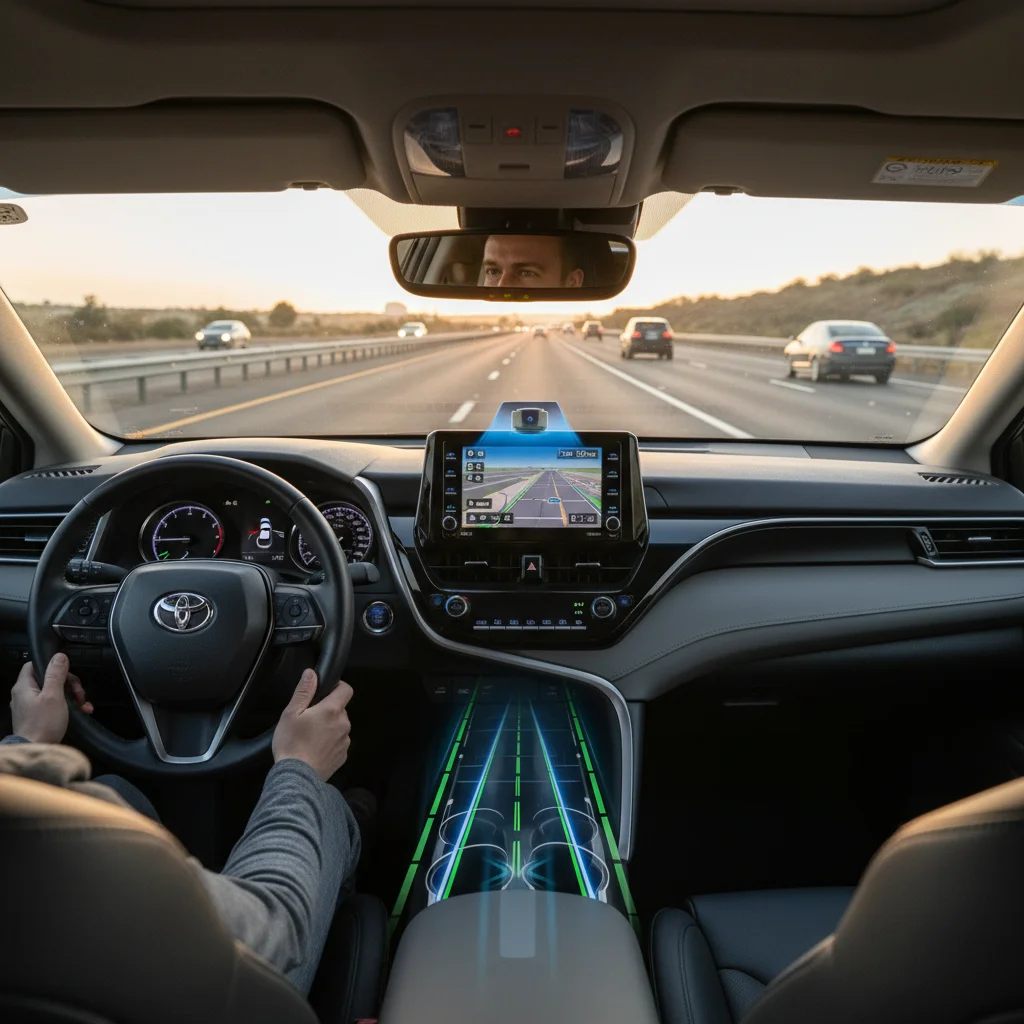
Toyota Safety Sense 3.0 is standard on most 2026 Toyota models, and two of its most practical features — Dynamic Radar Cruise Control (DRCC) and Lane Tracing Assist (LTA) — work together to reduce driver fatigue and maintain your position on the highway. If you’ve been curious about how adaptive cruise control and lane centering actually feel behind the wheel, a test drive is the best way to find out. Here’s what to know before you visit Tustin Toyota.
What Dynamic Radar Cruise Control and Lane Tracing Assist Actually Do
Dynamic Radar Cruise Control is Toyota’s adaptive cruise control system. It uses radar and a forward-facing camera to monitor the vehicle ahead and automatically adjusts your speed to maintain a safe following distance. Unlike traditional cruise control, DRCC operates across the full speed range — it can slow to a complete stop in traffic and resume when the vehicle ahead moves, making it especially useful on congested Southern California freeways near Irvine and Costa Mesa.
Lane Tracing Assist is the lane centering component. When DRCC is active and the system detects lane markings, LTA applies gentle steering inputs to help keep your vehicle centered in its lane. It can also track the path of a preceding vehicle when lane lines are less visible. Together, DRCC and LTA create a semi-assisted driving experience that reduces the constant steering and speed corrections that make long commutes tiring.
These two features are designed to work in tandem — LTA’s full lane centering capability activates when DRCC is engaged. Without cruise control running, the system functions more as a lane departure warning with steering assist rather than active centering.
How to Activate These Features During a Test Drive
Trying DRCC and LTA during a test drive takes just a few steps. A Tustin Toyota product specialist will walk you through the process, but here’s what to expect.
Step 1: Activate DRCC
Press the cruise control button on the steering wheel (a speedometer icon with “mode” underneath) to toggle into adaptive cruise mode. Once you’re traveling above 20 mph, set your desired speed and following distance. DRCC offers multiple distance settings so you can choose how much space to maintain between you and the car ahead.
Step 2: Activate LTA
Press the LTA button on the steering wheel — it’s marked with a car icon between lane lines. When the system recognizes lane markings, the display icons turn green, confirming that lane centering is active. You’ll feel gentle steering inputs as the system works to keep you centered.
On your test drive from Tustin Toyota, the roads around Anaheim and Huntington Beach provide a good mix of highway stretches and stop-and-go conditions to experience both systems working together.
What to Pay Attention to on the Road
Once both systems are active, focus on how the vehicle responds in different scenarios. On open highway stretches, notice how LTA makes subtle steering adjustments through gentle curves. In heavier traffic, pay attention to how DRCC smoothly decelerates and accelerates as the car ahead changes speed — and how it brings you to a complete stop when traffic halts.
Try adjusting the following distance on DRCC to see how the system behavior changes. A shorter distance keeps you closer to traffic flow, while a longer distance provides more buffer. Also notice how LTA handles lane changes — when you signal and move lanes, the system pauses centering until you’ve completed the maneuver.
Ask your Tustin Toyota specialist to point out the instrument cluster indicators so you can see when each system is actively engaged versus standing by.
Adjusting Lane Tracing Assist Sensitivity
One feature worth exploring during your test drive is LTA’s adjustable sensitivity. Through the vehicle’s Multi-Information Display or infotainment system, you can control how assertively the system steers. Higher sensitivity produces firmer corrections that hold the vehicle closer to lane center. Lower sensitivity allows more lateral freedom, letting you steer more naturally while the system provides a safety net in the background.
Some 2026 Toyota models also offer driving modes — such as Normal, Comfort, or Sport — that adjust both lane centering and adaptive cruise responsiveness together. Experimenting with these settings during your test drive helps you understand which configuration fits your driving style, whether you’re commuting through Corona or cruising on open highway.
Understanding the System’s Limitations
DRCC and LTA are driver-assist features, not autonomous driving. Knowing their boundaries makes your test drive more informative and sets realistic expectations for daily use.
Camera & Sensor Factors
Lane Tracing Assist depends on visible lane markings. On roads where lines are faded, missing, or obscured by construction, the system may disengage or provide reduced assistance. Heavy rain, fog, and direct sun glare can also affect the camera’s ability to detect lane boundaries.
Hands-On Required
DRCC and LTA perform best on highways and well-marked roads. On winding roads, narrow streets, or complex merge patterns, the system may not respond as smoothly. Your hands stay on the wheel and your eyes stay on the road at all times — these features complement attentive driving, not replace it.
The instrument cluster clearly indicates when LTA is active versus unavailable, so you’ll notice these limitations naturally during your test drive. For optimal long-term performance, sensors and the windshield-mounted camera should be kept clean and unobstructed.
Which 2026 Toyota Models Include These Features
Toyota Safety Sense 3.0 — and with it, DRCC and LTA — comes standard on most 2026 Toyota passenger vehicles. Models that showcase these features well for test drives include the Corolla Hybrid (up to 50 MPG combined), the RAV4 Hybrid, and the Camry Hybrid. The Highlander and Sienna also include TSS 3.0 as standard equipment, offering the same adaptive cruise and lane centering experience in larger, family-oriented packages.
Because these features are standard rather than optional, you don’t need to seek out a specific trim level — any 2026 Toyota on the Tustin Toyota lot equipped with TSS 3.0 will let you experience DRCC and LTA firsthand.
Schedule Your Test Drive at Tustin Toyota
The best way to understand how Dynamic Radar Cruise Control and Lane Tracing Assist work is to feel them in action. Tustin Toyota’s product specialists will set up a test drive route that includes highway driving and stop-and-go conditions so you can experience both systems across real-world scenarios.
Visit us at 36 Auto Center Dr, Tustin, CA 92782, browse our new Toyota inventory online, or call 714-909-2159 to schedule your test drive. Whether you’re commuting from Irvine, Costa Mesa, or Anaheim, experiencing these features firsthand is the fastest way to decide if they’ll make a difference in your daily drive.
0 comment(s) so far on How to Use Dynamic Radar Cruise Control and Lane Tracing Assist on a Test Drive at Tustin Toyota